Clean More.
Save More.
CleanSweep helps you find duplicate files, large files, old documents and storage clutter so your Android phone feels lighter, faster and easier to manage.
Powerful Features. Total Control.
CleanSweep combines fast scanning, deeper AI analysis and review-first cleanup.
On-Device Privacy
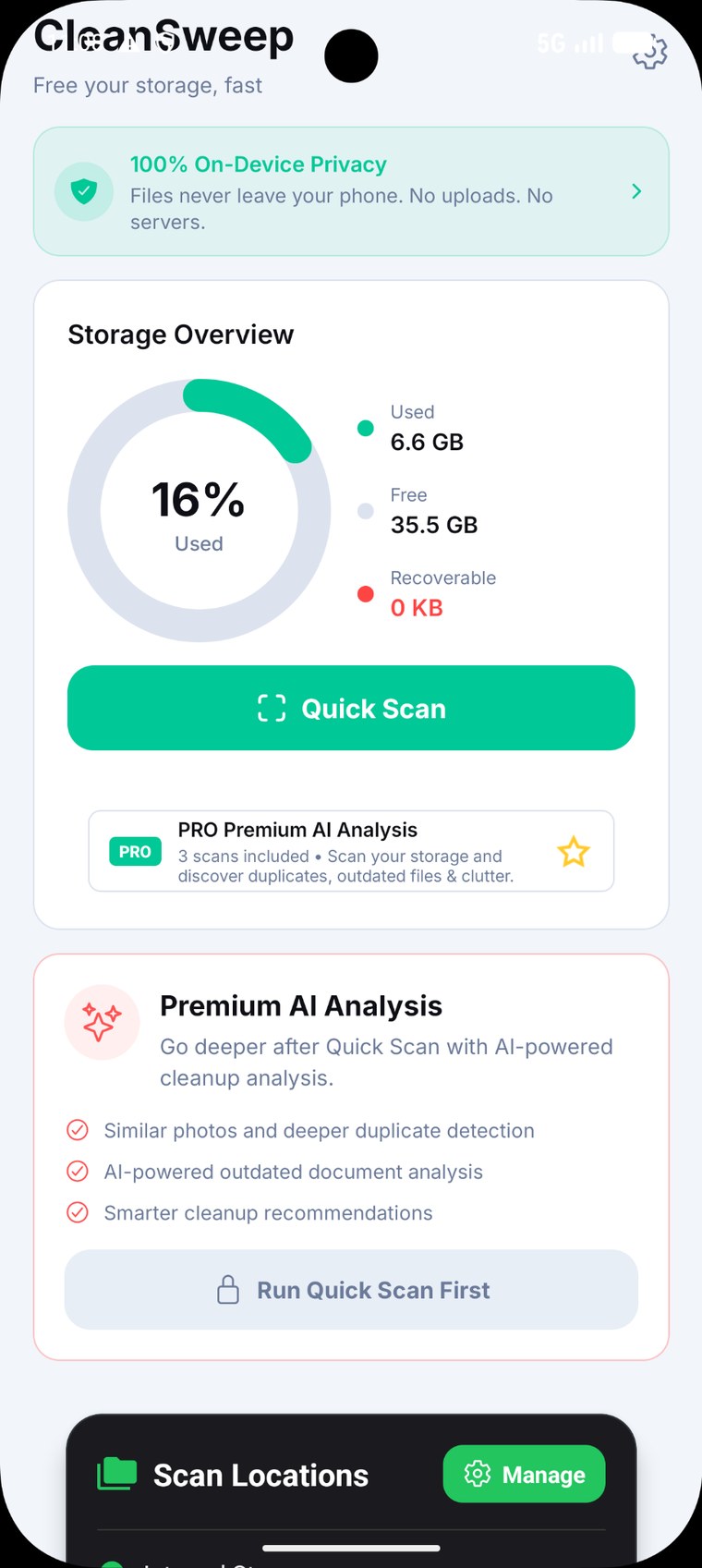
Scanning and analysis are designed to stay on your Android device.
Quick Scan
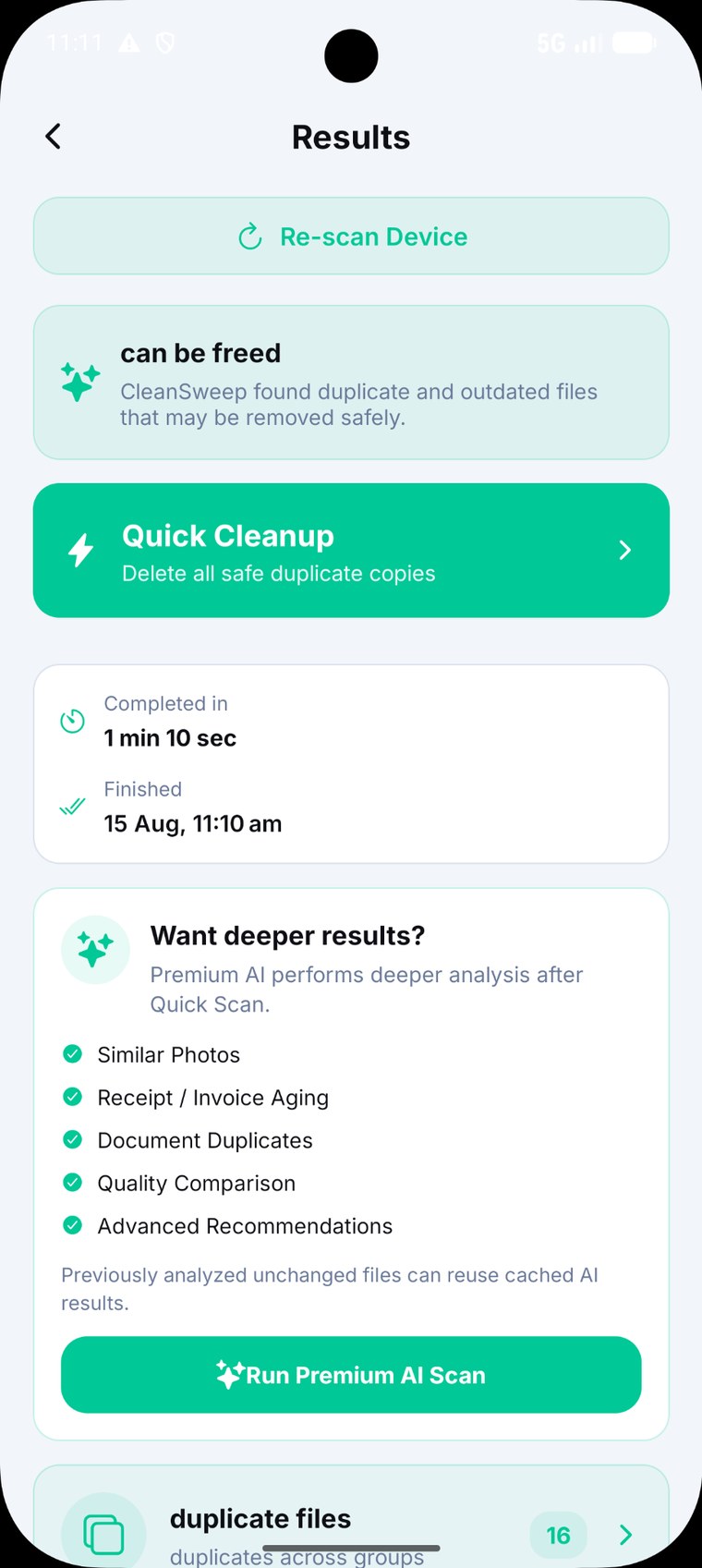
Start with a fast storage scan to find duplicates, clutter and cleanup opportunities.
Premium AI Analysis
Go deeper with similar-photo detection, document intelligence, quality signals and recommendations.
Smart AI Cache
Previously analyzed unchanged files can reuse cached AI results for faster repeat analysis.
Custom Folder Scan
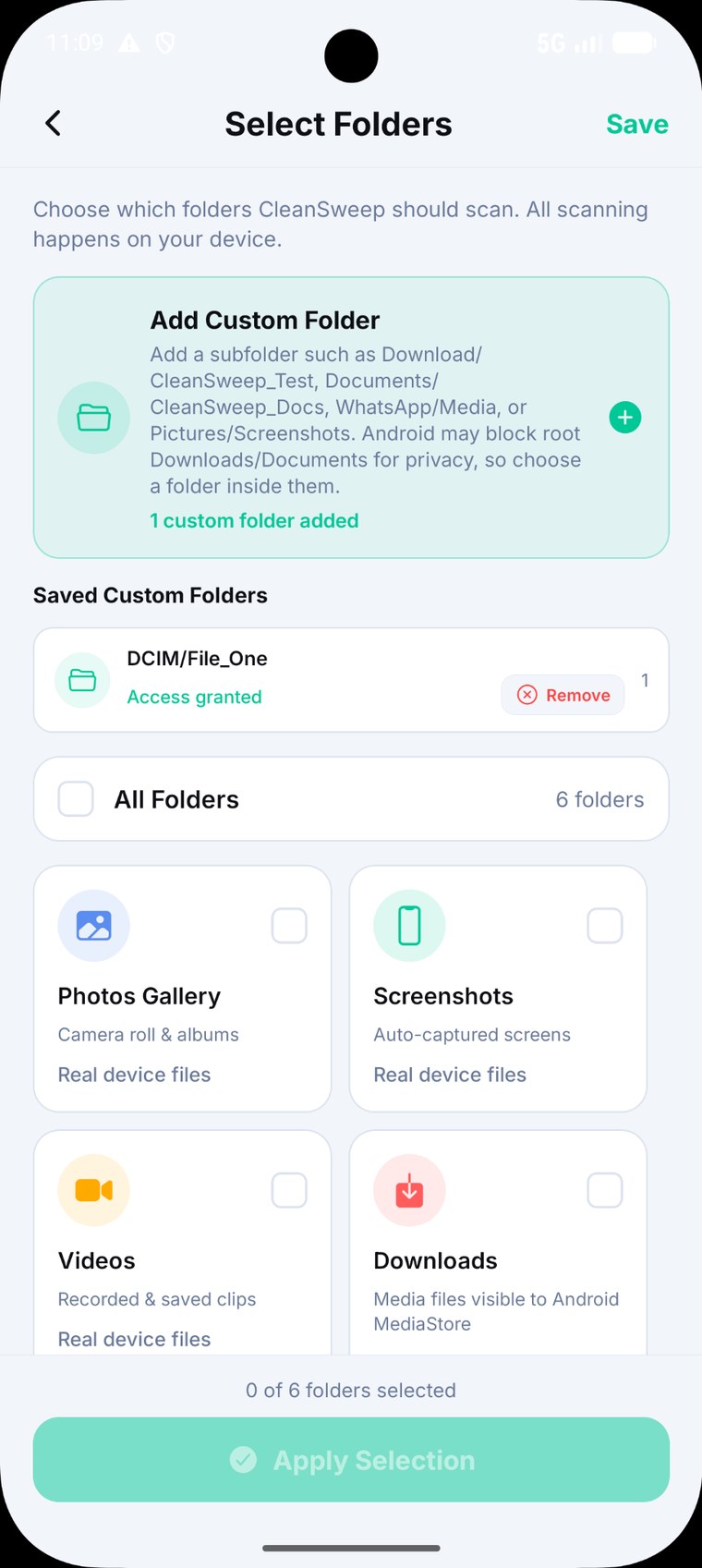
Choose exactly which folders CleanSweep should scan, including custom folders.
Trend Cleanup
Spot recurring storage patterns such as selfie bursts, social copies, screenshots and downloads.
Recycle Bin
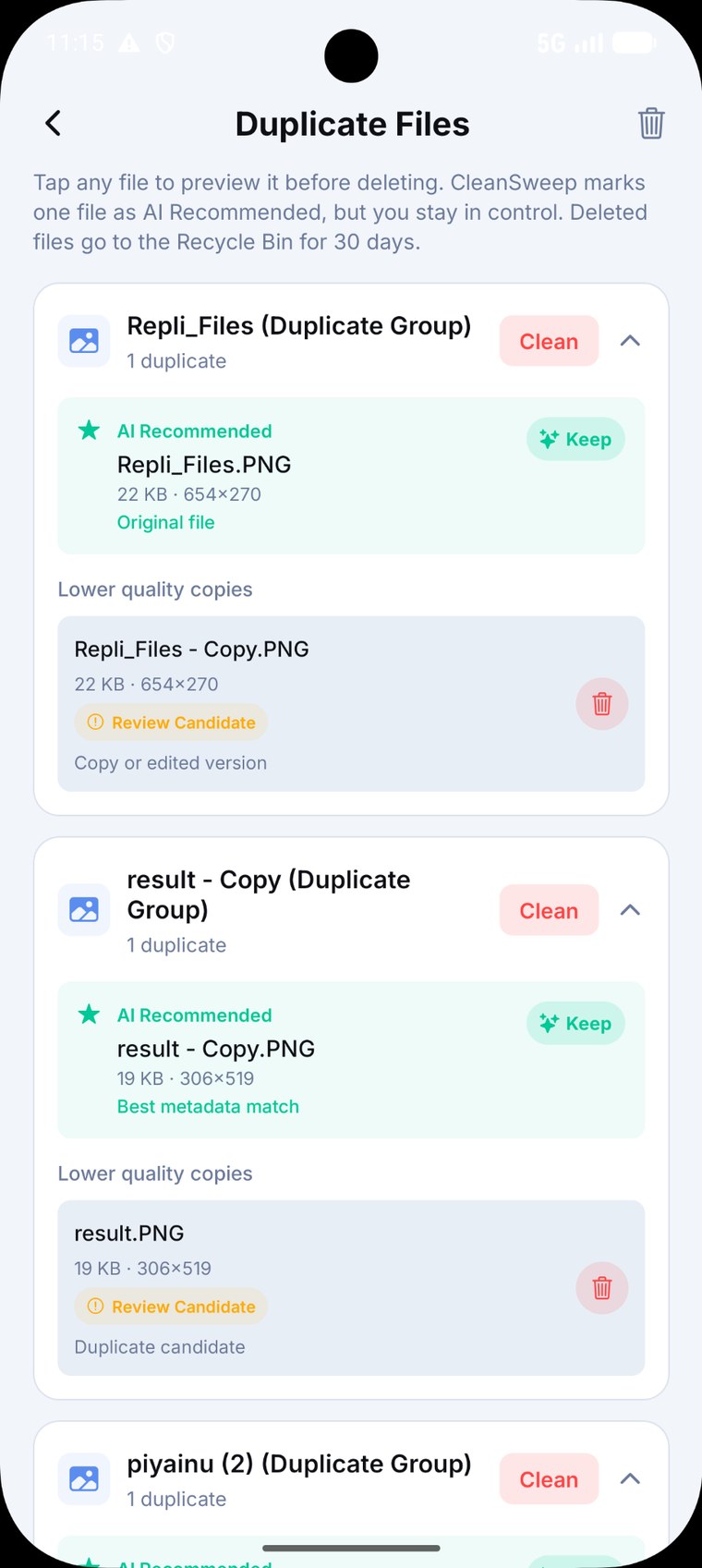
Deleted files stay recoverable in the in-app Recycle Bin for 30 days.
Share to Unlock
Share a CleanSweep result to unlock one additional Premium AI scan in the free journey.
See CleanSweep in Action
See how CleanSweep quickly identifies duplicate photos, videos, large files, and outdated documents—all while keeping every file securely on your device.
Why You'll Love It
- ✔ Find duplicate photos and videos
- ✔ Use Premium AI for deeper analysis
- ✔ Review every recommendation before deleting
- ✔ Your files never leave your device
Ready to reclaim your storage? Download CleanSweep and experience smarter, safer cleanup today.
▶ Get it on Google PlaySimple. Modern. Easy to use.
Choose folders, run Quick Scan, review Deep AI recommendations, and delete only what you approve.
The current CleanSweep experience.
See the redesigned storage overview, folder controls, AI analysis, results, cleanup, trend insights and share-to-unlock journey.
Storage Overview
Quick Scan, Premium AI Analysis and scan locations are accessible from a cleaner home experience.
Custom Folder Scanning
Choose the exact folders you want CleanSweep to scan, including custom folders.
Smart Results
Review recoverable storage, Quick Cleanup and the deeper Premium AI options from one results view.
Duplicate Files
Preview files, see AI recommendations and decide what to remove. Deleted files go to the Recycle Bin.
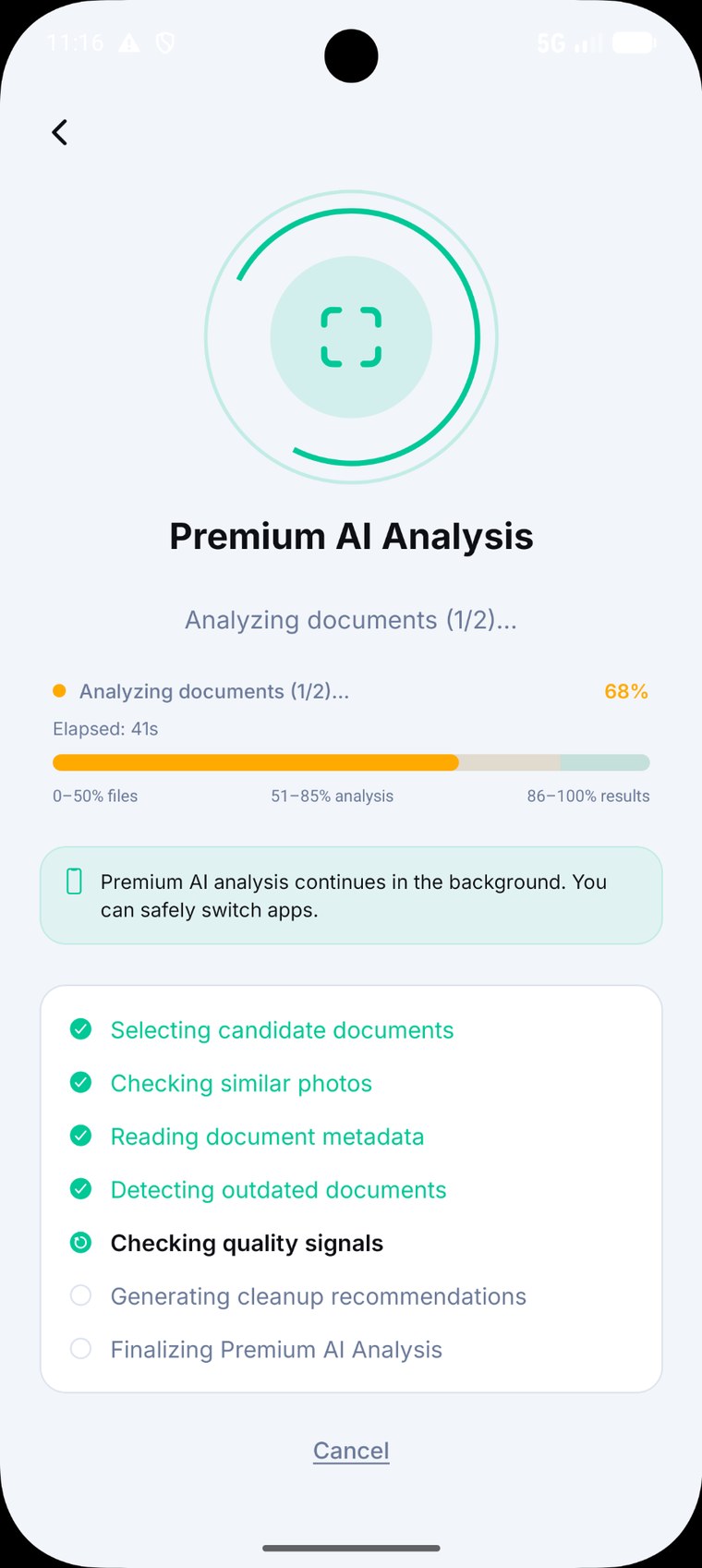
Premium AI Analysis
Deeper analysis runs in the background with clear progress and analysis stages.
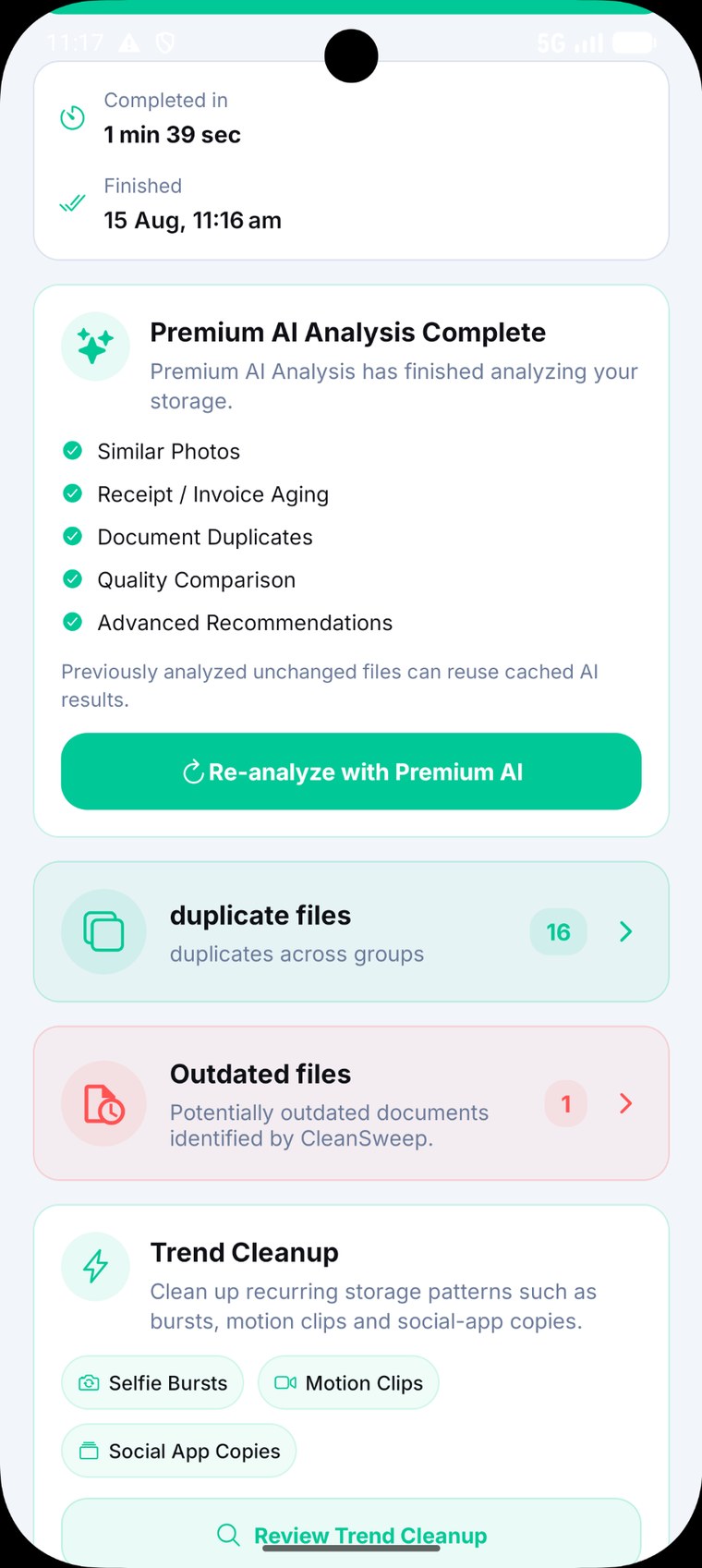
Cached Repeat Analysis
Previously analyzed unchanged files can reuse cached AI results for faster repeat analysis.
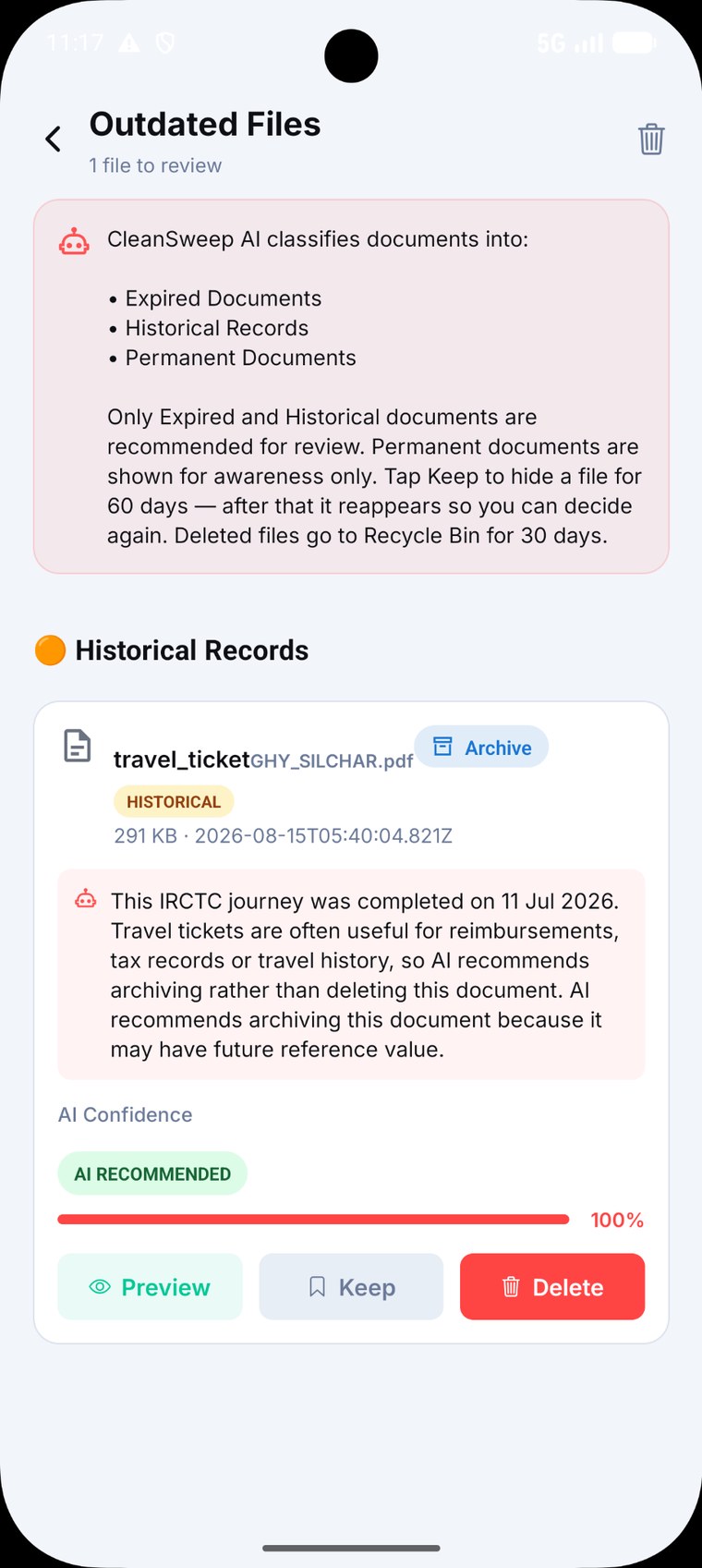
Outdated Documents
AI classifies documents and helps you review historical and expired files before deciding what to do.
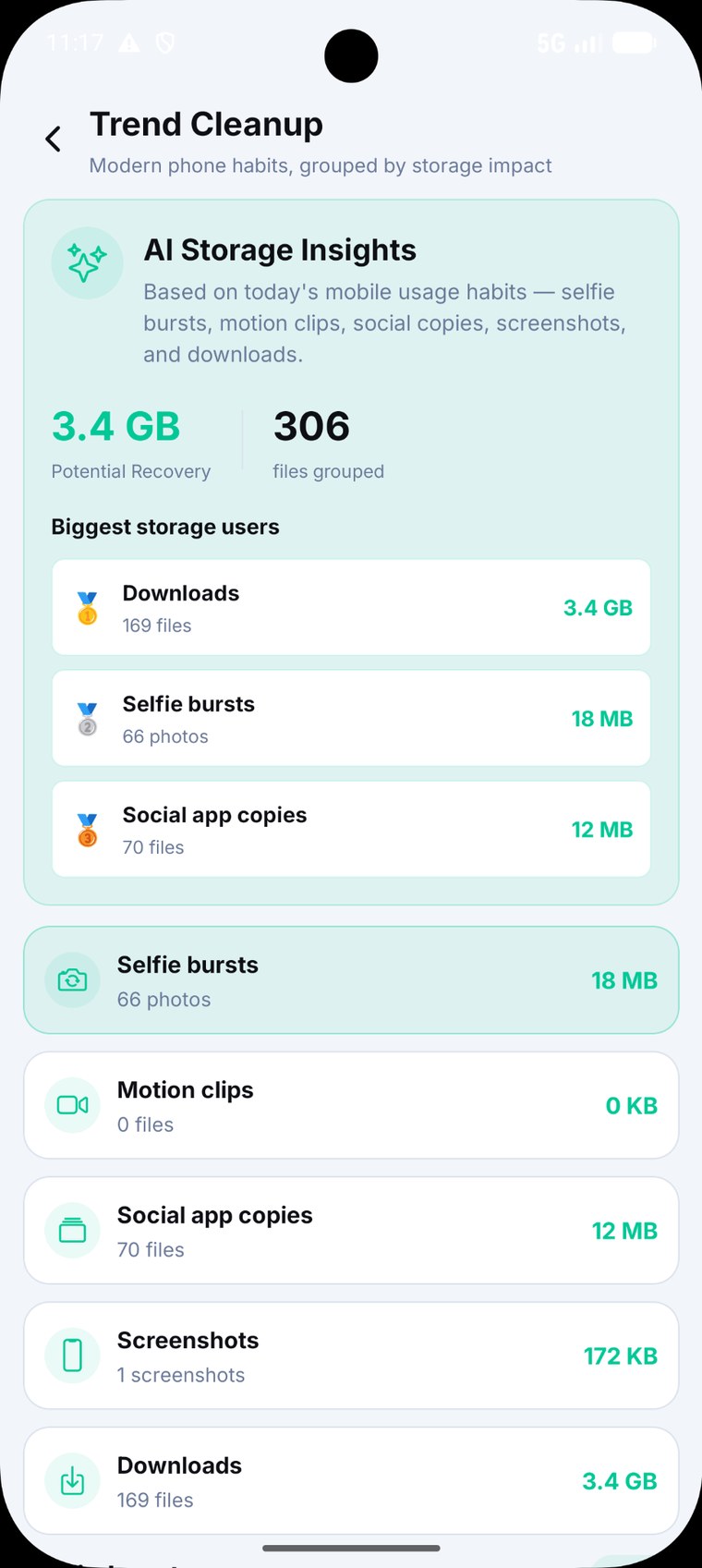
Trend Cleanup
See recurring storage patterns such as selfie bursts, social app copies, screenshots and downloads.
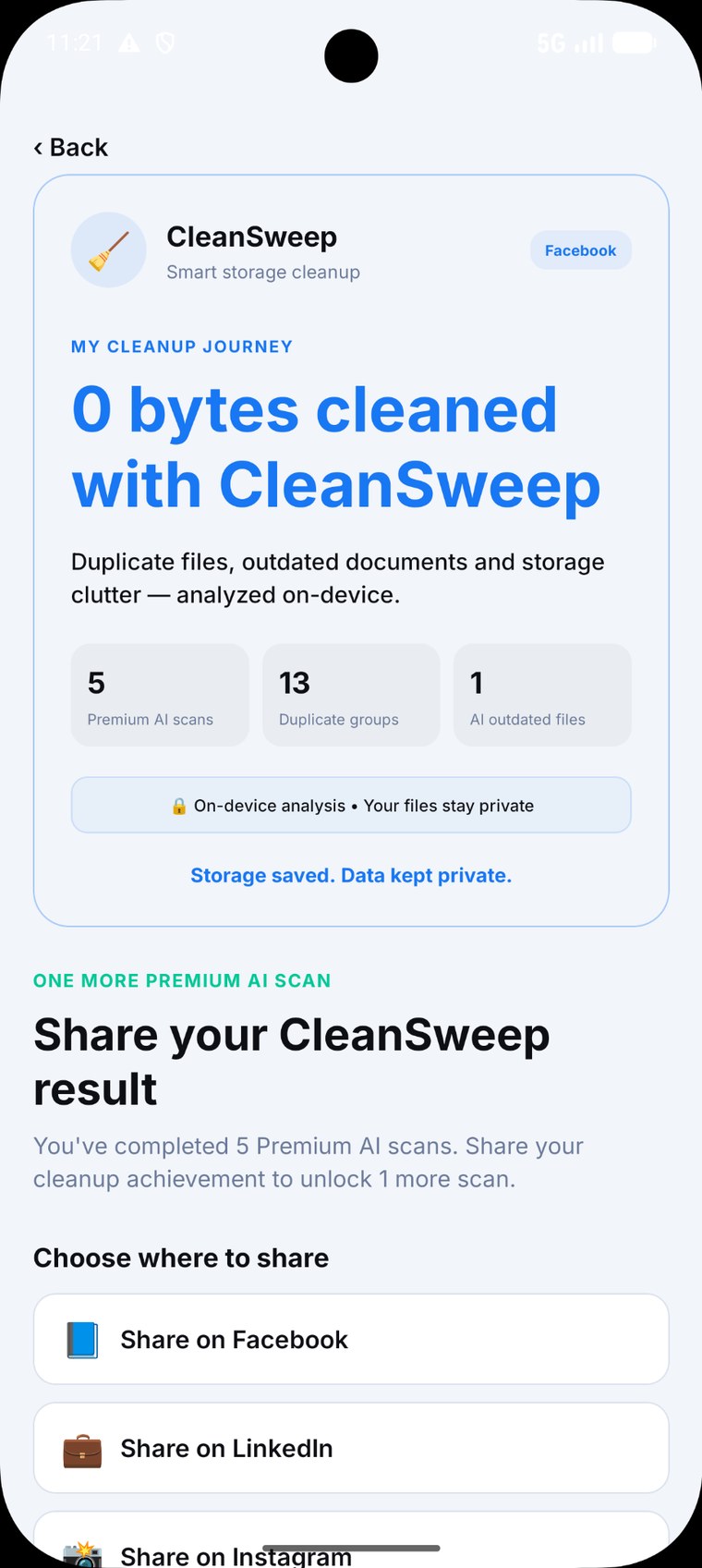
Share to Unlock
After the included Premium AI journey, sharing a CleanSweep result can unlock one additional Premium AI scan.
Questions before you clean?
Does CleanSweep upload my files?
No. CleanSweep is designed around on-device analysis. Your files remain on your Android device.
Can I review files before deleting?
Yes. CleanSweep highlights candidates and lets you preview and decide before cleanup.
What does Deep AI Analysis do?
It looks for similar photos, duplicate documents, outdated files, quality signals and smarter cleanup recommendations.
Where do deleted files go?
Deleted files are held in the in-app Recycle Bin for 30 days before permanent removal.